Keep products and services in one catalog
Manage the items you reuse across billing and related workflows from one place, rather than recreating them every time a document is built.
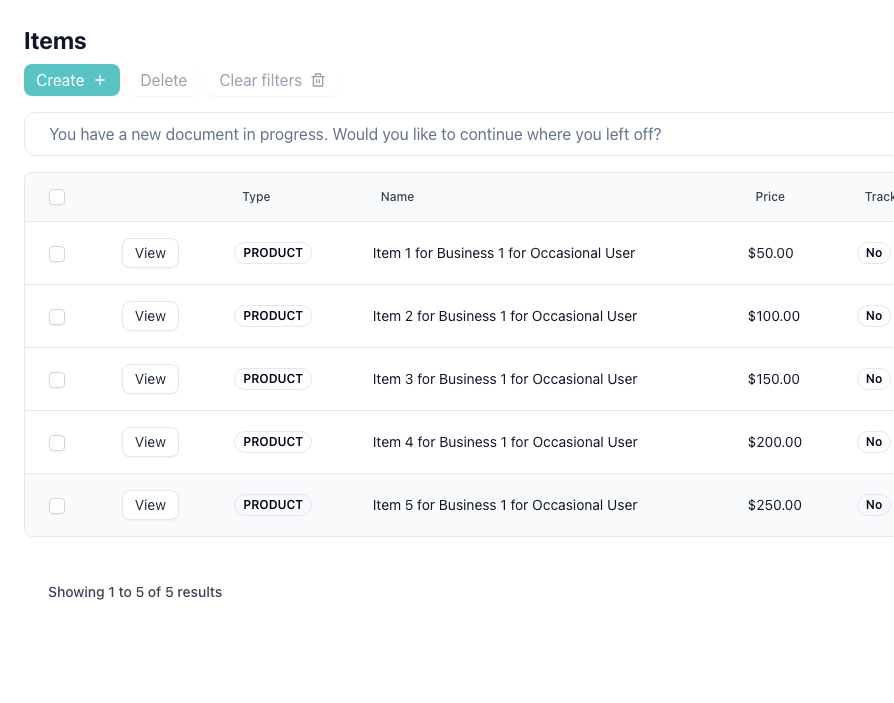
Track stock only where it matters
Inventory-aware items can carry stock levels and reorder points, while services stay simple. This keeps the item catalog flexible without forcing every entry into the same structure.
Adjust stock with a reason and notes
Manual stock adjustments can reflect purchases, returns, damage, corrections, or opening balances, which gives changes more bookkeeping and operational context.
Review movement history later
Movement logs make it easier to understand why stock changed over time, who made the change, and whether a quantity drop was expected or needs investigation.
Jump from an item to the documents that used it
When an item is tied to invoices or related records, you can move from the item view into the filtered document list to review how it was used in actual client work.
Inventory workflow in practice
1. Add
Create the item record
Set up the item as a stock-aware product or a simpler service entry.
2. Track
Monitor quantity and reorder point
Watch on-hand stock and flag items that are moving toward a low threshold.
3. Adjust
Record stock changes
Apply increases or decreases with a reason and optional notes for better history.
4. Review
Follow item usage across documents
Use linked document views to understand where an item has been billed or referenced.
Related guides and pages
Inventory Stock Guide
See stock adjustments, reorder points, and movement history in the product workflow.
Documents
See how items connect back to invoices, quotations, and receipts.
Bookkeeping Software
Inventory tracking is part of the wider bookkeeping and record-keeping workflow.
Transactions
View the transaction workflow that sits alongside item and stock records.
Frequently Asked Questions
Common questions about item tracking, stock adjustments, and inventory-related document workflows.